
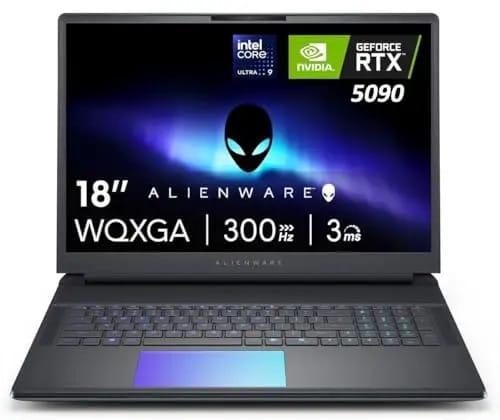
Dell Alienware 18 Area-51 Gaming Laptop: A High-Performance Gaming Machine
For gamers and creators who want desktop-class performance in a laptop, the Dell Alienware 18 Area-51 Gaming Laptop offers a powerful combination of processing capability, dedicated graphics, large display, and generous memory.
This premium gaming machine is designed for demanding games, content creation, multitasking, and other intensive workloads. The featured configuration includes an Intel Core Ultra 9 275HX processor, NVIDIA GeForce RTX 5090 graphics, 64GB DDR5 RAM, and a 2TB PCIe SSD.
Powerful Intel Core Ultra 9 Processor
At the heart of the Alienware 18 is the Intel Core Ultra 9 275HX processor. The featured configuration provides 24 cores and a maximum clock speed of up to 5.4GHz. This level of processing power is useful for demanding gaming sessions, video editing, software development, 3D applications, and heavy multitasking.
The high core count also allows users to run multiple applications without relying on a separate desktop computer. For people who need a laptop that can handle demanding workloads as well as gaming, the processor provides a strong foundation.
NVIDIA GeForce RTX 5090 Graphics
Graphics performance is one of the major attractions of this Alienware laptop. The featured configuration uses an NVIDIA GeForce RTX 5090 with 24GB of GDDR7 VRAM. The GPU supports advanced technologies such as ray tracing and DLSS 4 for compatible games and applications.
Ray tracing can improve lighting, reflections, and shadows in supported games, while DLSS technologies can help enhance performance and image quality. This makes the system suitable for users interested in modern high-resolution gaming and demanding creative workloads.
Immersive 18-Inch Display
The 18-inch 2.5K WQXGA display gives the Alienware 18 a large viewing area compared with conventional 15- or 16-inch gaming laptops. The featured product page describes the screen as an anti-glare WQXGA panel, while Dell lists configurations with an 18-inch WQXGA display featuring a 300Hz refresh rate, 500 nits brightness, 100% DCI-P3 coverage, Advanced Optimus, and G-SYNC.
The large screen can benefit gamers who prefer an immersive experience. It is also practical for productivity because users can view multiple windows side by side.
64GB DDR5 Memory and 2TB Storage
The featured configuration comes with 64GB of DDR5 RAM, providing substantial memory for gaming, multitasking, creative applications, and other demanding software. Users who frequently work with multiple applications can benefit from having a large amount of system memory available.
Storage is handled by a 2TB PCIe SSD. This provides enough space for a sizeable collection of games, applications, videos, documents, and project files. Dell also offers multiple storage configurations for the Alienware 18, depending on the selected model.
Modern Connectivity
The Alienware 18 includes modern connectivity features such as Wi-Fi 7 and Bluetooth 5.4. Dell's listed ports include HDMI 2.1, Ethernet, USB Type-A, Thunderbolt, and an SD-card slot, with some port configurations varying according to the selected graphics option.
These connections make the laptop suitable for external displays, wired networking, storage devices, cameras, and other peripherals.
What to Consider Before Buying
Performance is not the only factor to consider. The Alienware 18 is a large gaming laptop, and Dell lists a maximum weight of about 9.56 pounds (4.34 kg), excluding the power adapter.
Therefore, it is better suited to users who prioritize performance and screen size over frequent travel. The premium hardware also means buyers should consider their budget, power requirements, warranty coverage, and intended workload before purchasing.
Final Thoughts
The Dell Alienware 18 Area-51 Gaming Laptop combines a powerful Core Ultra 9 processor, RTX 5090 graphics, 64GB DDR5 memory, 2TB PCIe storage, and a large 18-inch display in a desktop-replacement-style gaming system. It can appeal to serious gamers, creators, and professionals who need substantial computing power in a laptop format.
Before purchasing, compare the available configurations, current pricing, warranty options, and retailer offers. You can also review the product listing on CouponOffer to compare available deals and buying options.